 Foldy
File browser & tools for Mac
Files found.
Things done.
A calmer home for your files. Find what you need, keep it close, and get on with the next thing.
Free for 7 days. No account or card.
macOS 14+ · Apple silicon & Intel
Early-access 0.2.4 includes 14 days while we roll out the new trial.
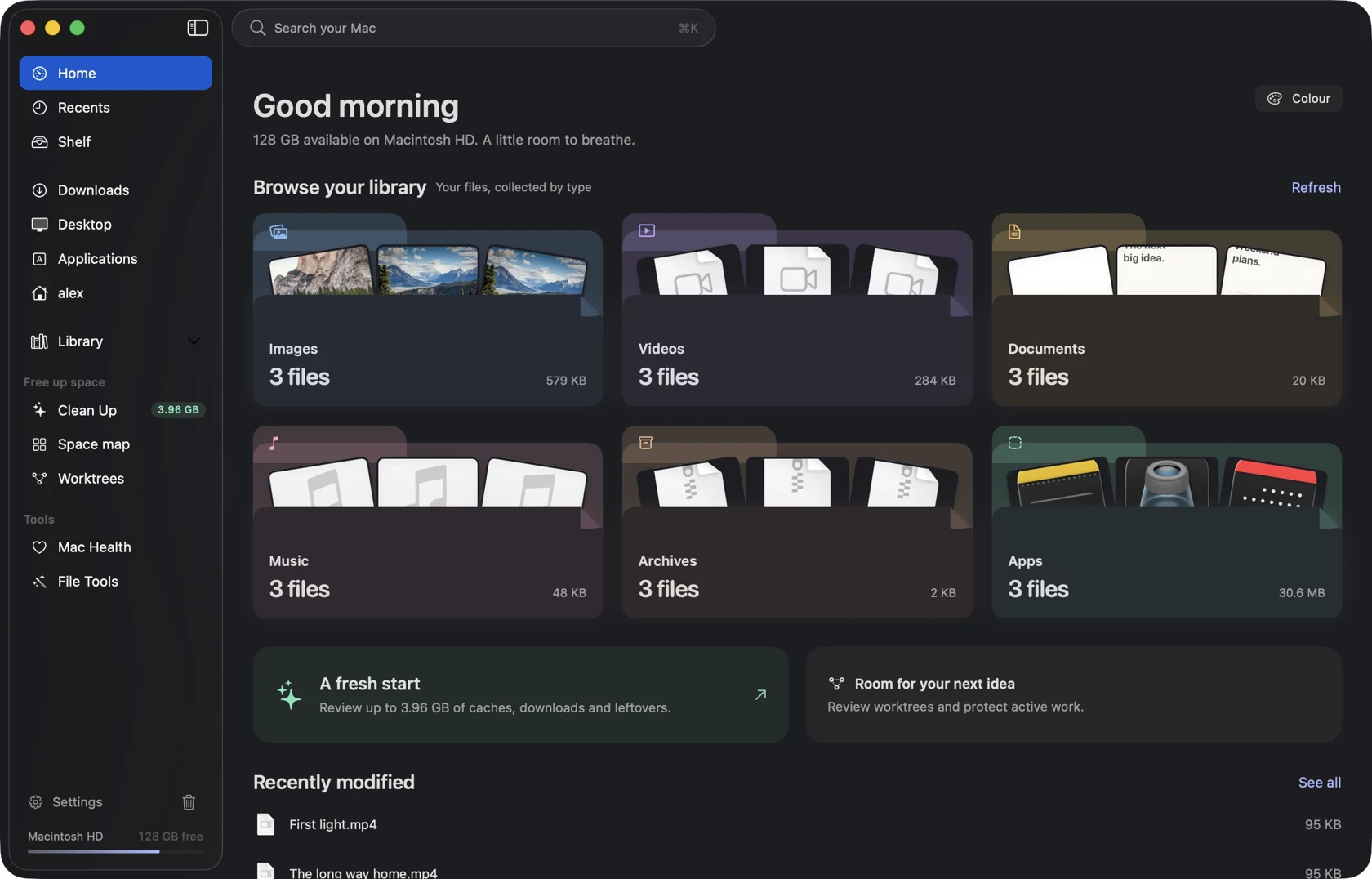
Your folders, with a little more thought.
01 / Find your way
Start with the part
you remember.
The picture. The file type. Where it came from. Less hunting through folders, more finding your file.
02 / Keep it close
The next file.
Right here.
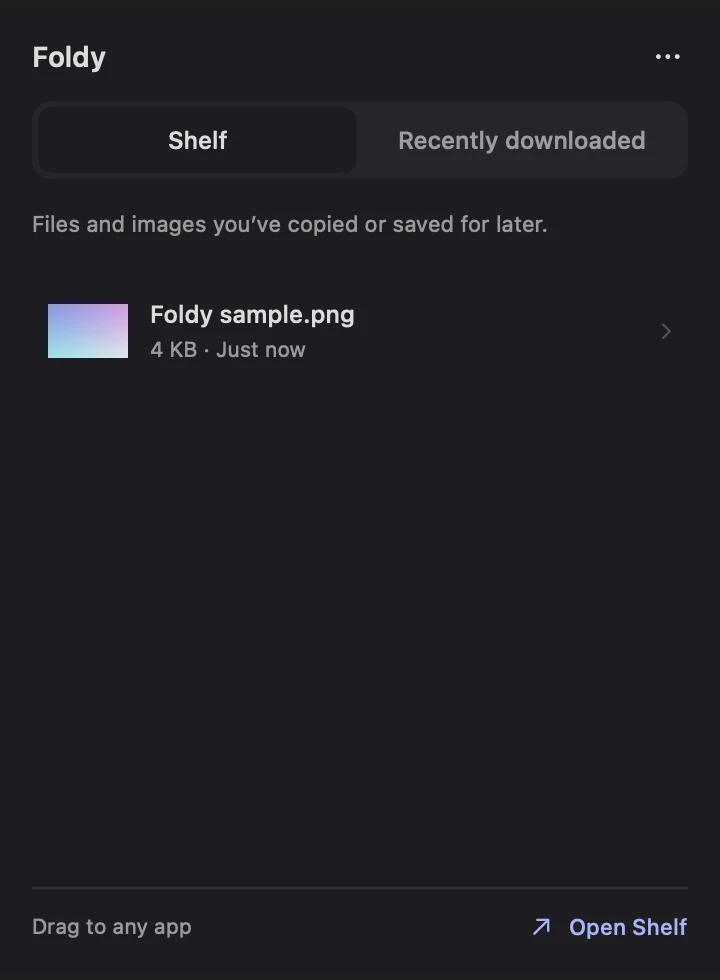
Save a file or image to Shelf, then drag it into the next app. Recent downloads sit beside it in the menu bar.
A temporary place between one task and the next. No text clipboard history to sift through.
Illustrated handoff · Next release popup preview

03 / Make it useful
A different format.
The same original.
Convert an image, work with a PDF, or make a smaller copy. Everyday file jobs, in one place.
New action ring · Next release preview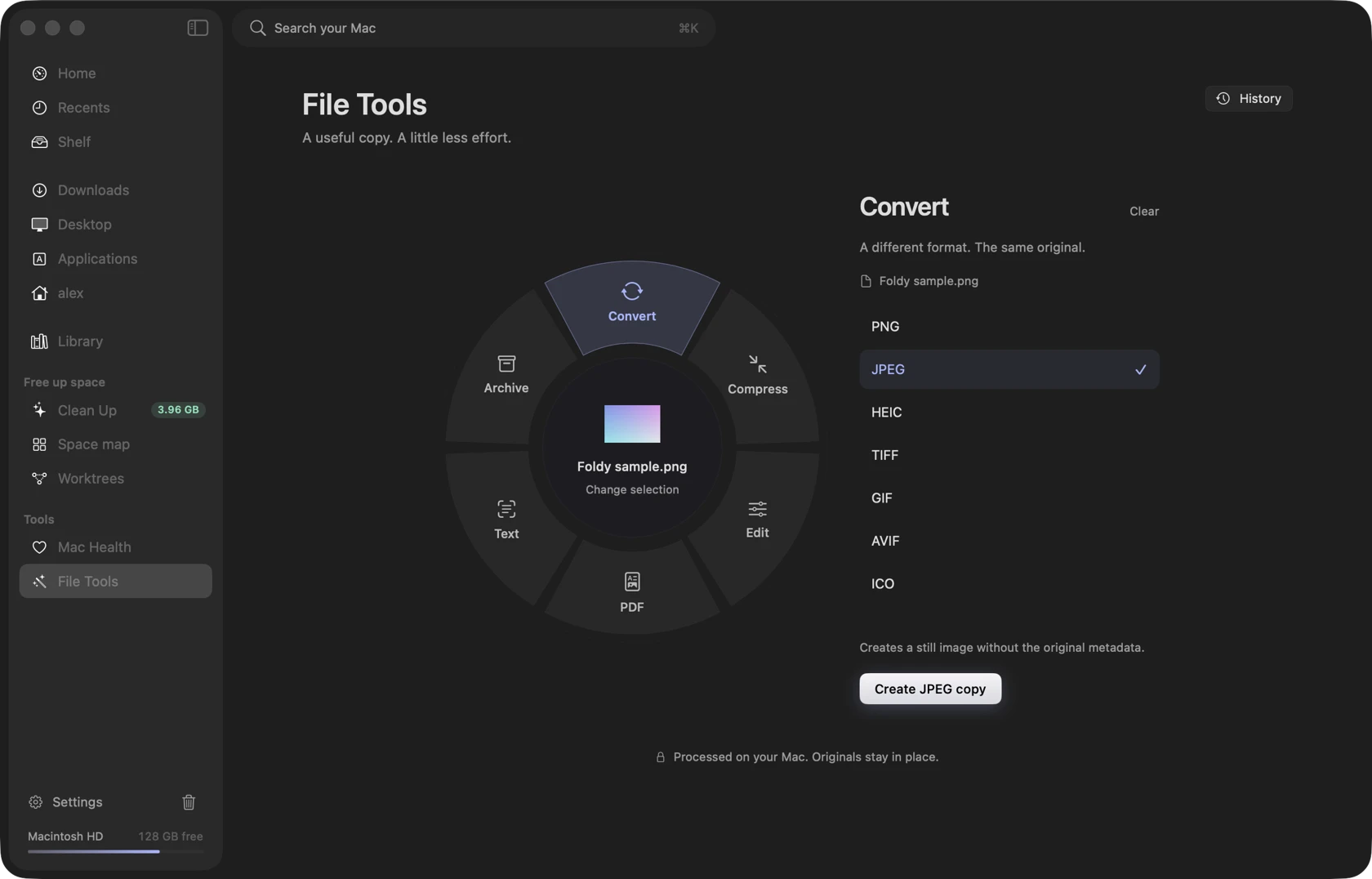
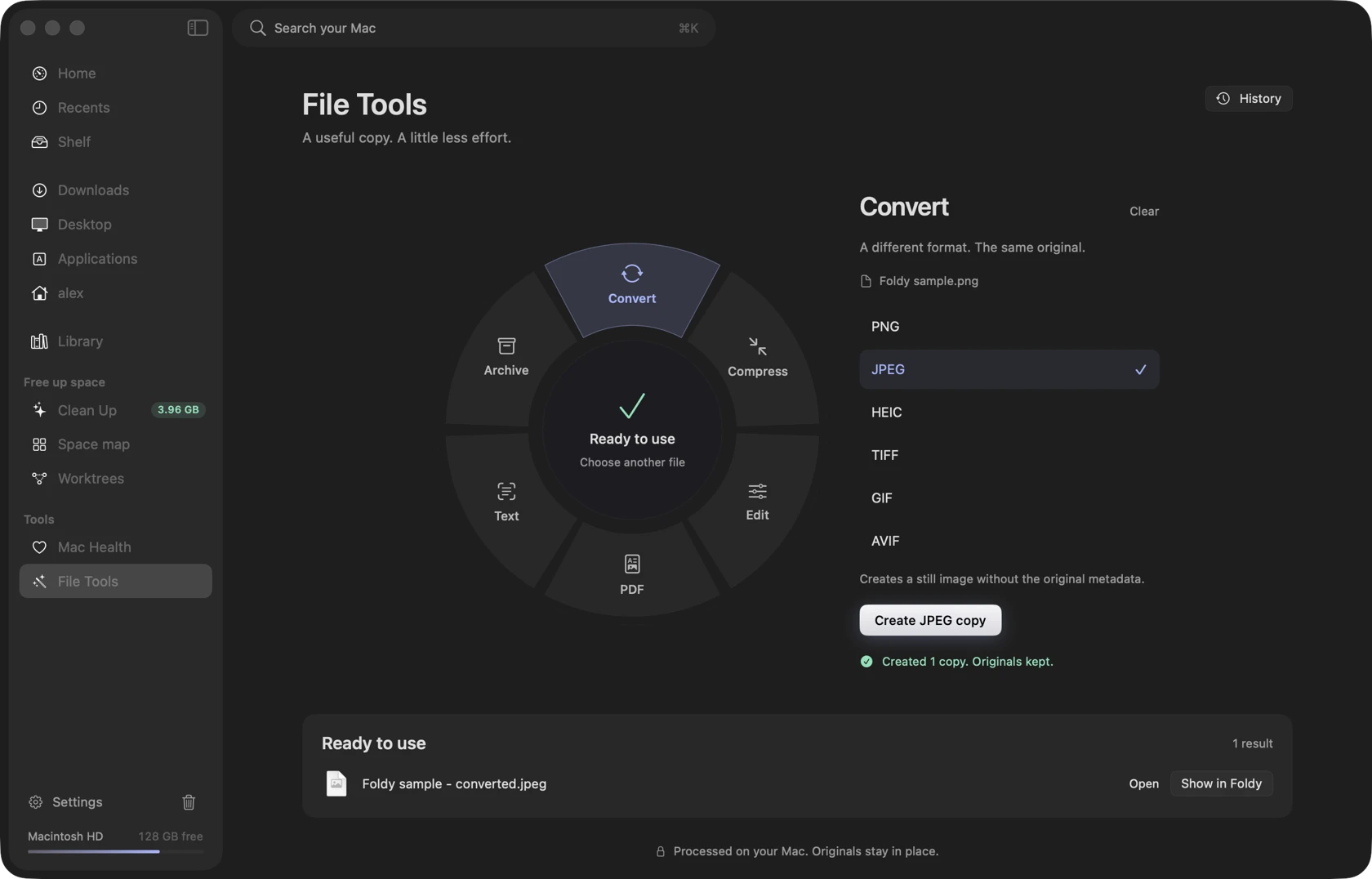
Scroll on desktop, or choose a step and play the demo. Native screen captures with an illustrated file handoff; sample data.
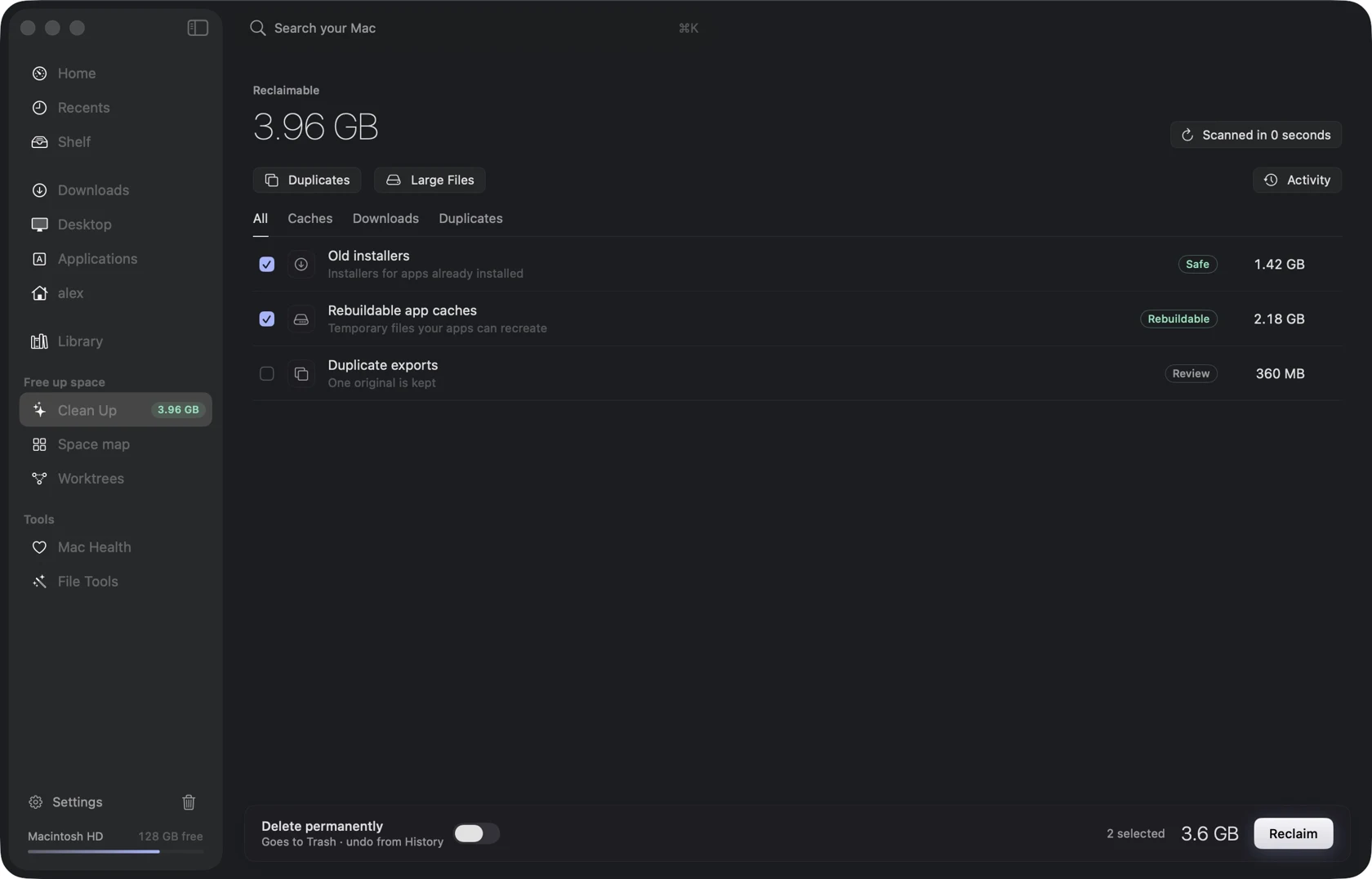
04 / Make some room
Less mess.
More say.
See what’s taking up space and why a file was suggested. Review the list before moving anything to Trash.
Restore while files remain in Trash. Permanent and command actions have separate limits.
Feels at home on your Mac
A useful workspace.
Without the extra fuss.
Your files stay yours.
Browse your existing folders. No new file system to move into.
Work stays local.
File tools process on your Mac. License activation uses the network.
Space for deeper work.
Explore storage, duplicates and Git worktrees when you need a closer look.
Take it for a spin
Your next download
deserves a home.
Try Foldy free for 7 days.
No account. No card. Just your Mac.
macOS 14+ · Apple silicon & Intel
Current public release: 0.2.4 · Release notes
Early-access download currently includes 14 days.
One purchase.
Your everyday workspace.
Planned from $7 for one Mac.
Paid checkout is not open yet.
A few practical things.
Does Foldy replace Finder?
Foldy is a separate workspace for your existing files. Finder still handles macOS system surfaces. You can use both.
Which version am I downloading?
The signed and notarized public download is 0.2.4. Browsing, search, Shelf and file tools are available. The circular action ring and updated menu popup shown here preview the next release.
How does the 7-day trial work?
The new trial offer is 7 days, with no account or payment card required. The current early-access 0.2.4 download retains its longer 14-day allowance while the matching release is prepared. Existing trial dates are not reset by reinstalling.
Will conversion change my original?
Conversions create separate output files. Your original stays in place, and results are named to avoid overwriting existing files.
Can I undo cleanup?
Review your selection first. Files moved to Trash can be restored while they remain there. Emptying Trash or running a permanent or command-based action has different recovery limits.